Rules & alerts

Turn MQTT data into alerts you can act on

Set thresholds on any payload field, get notified the moment one is crossed, and keep an audit log of every alert with the exact message that caused it.

No card required

Rules

Turn thresholds into alerts

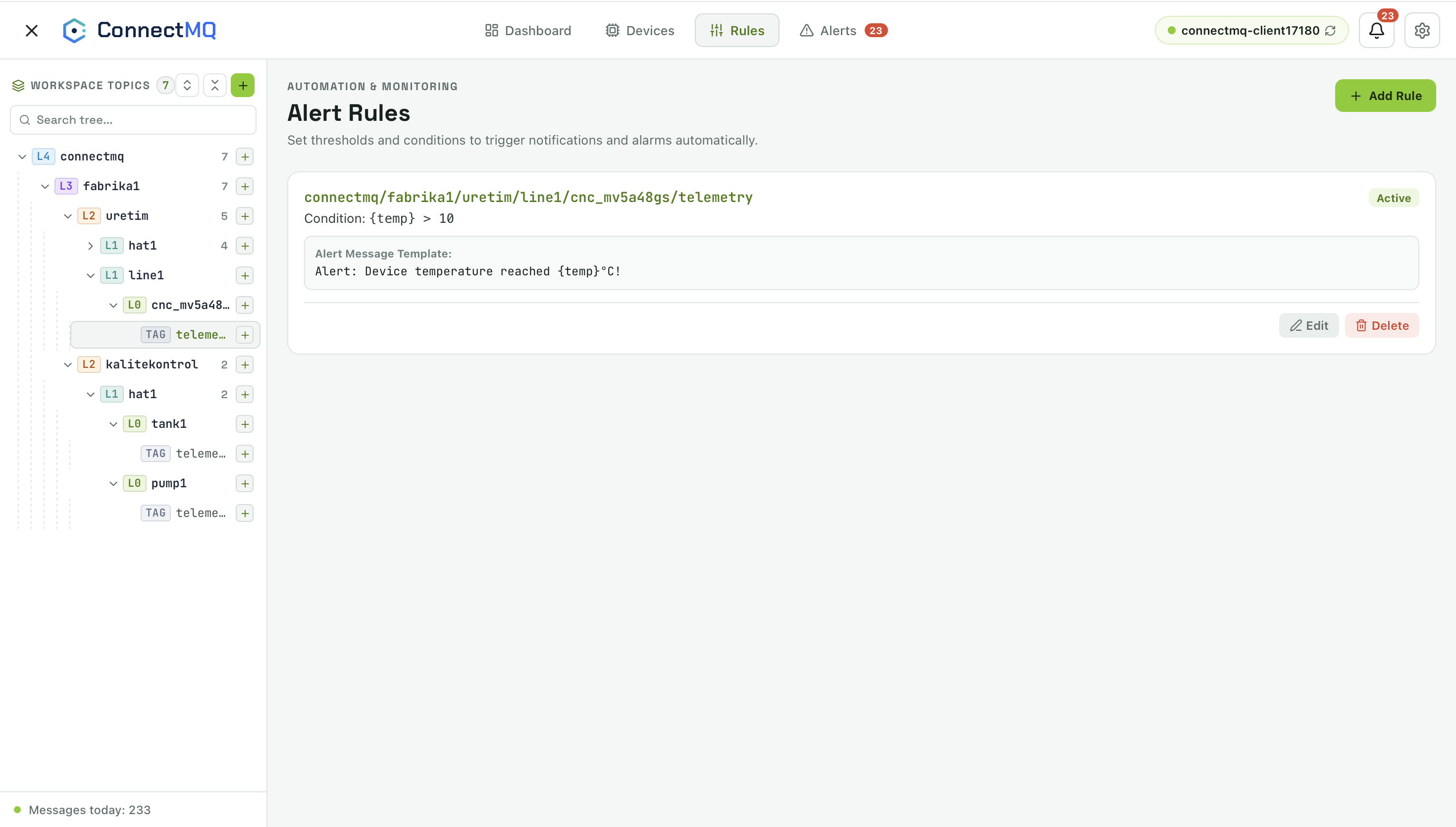
Create rules on any topic with conditions on payload fields — for example {temp} > 70 — and a message template that fills in live values.

  • Conditions on JSON payload fields
  • Message templates with placeholders such as {temp}
  • Enable, edit and delete rules per topic
ConnectMQ alert rules with a topic, a condition and an alert message template
Alerts

Never miss a threshold violation

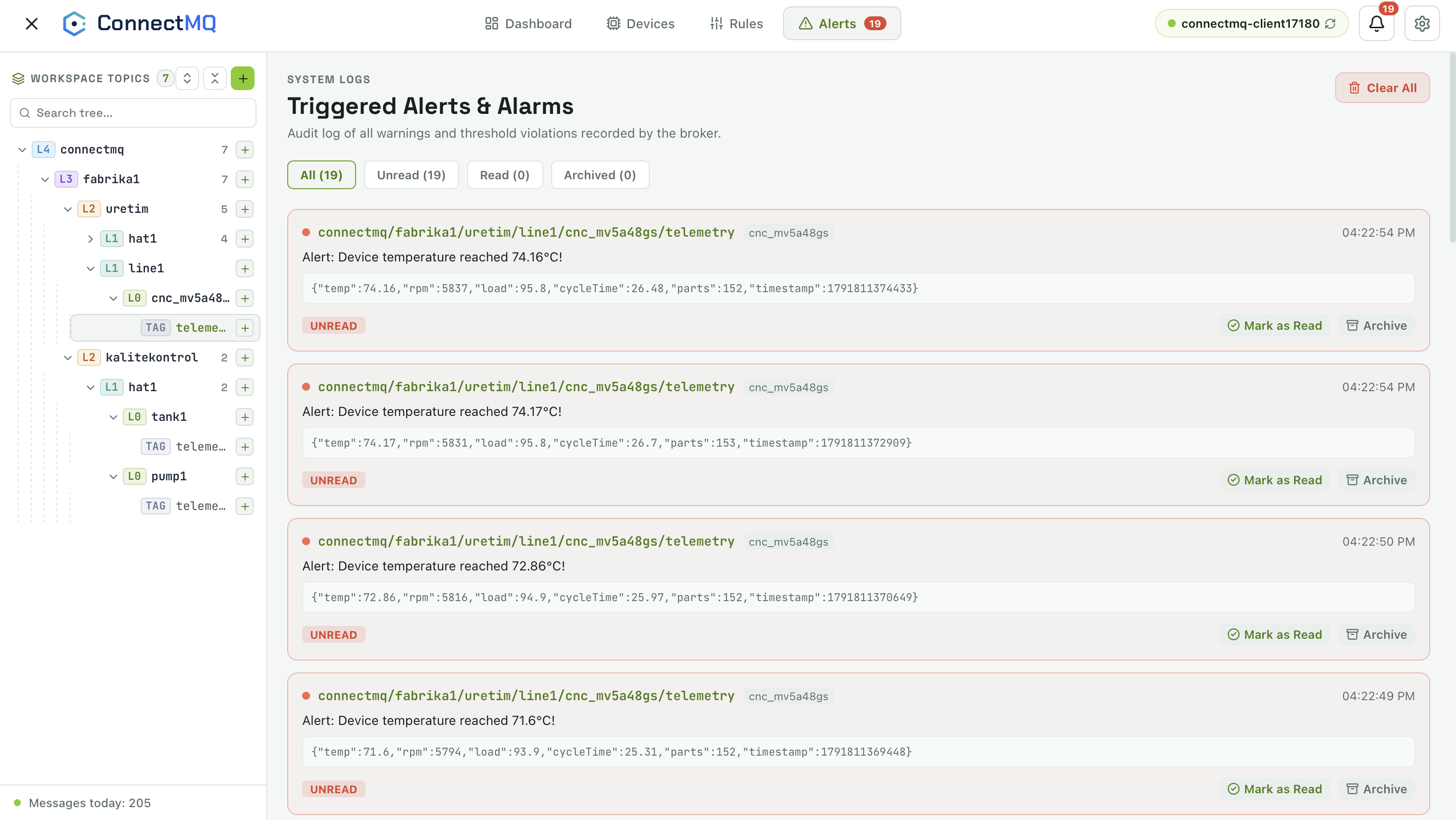
Every triggered rule lands in an audit log with the topic, device, time and the full payload that caused it — plus browser notifications as it happens.

  • Unread, read and archived alert views
  • The exact payload that triggered each alert
  • Desktop notifications from the browser
ConnectMQ triggered alerts log with unread alerts and their payloads

Rules & alerts FAQ

What can a rule check?

A rule watches a topic and evaluates a condition on a field of its JSON payload — for example {temp} > 70. When the condition is met, an alert is created.

How am I notified?

Triggered alerts appear in the alert log and as desktop notifications from your browser.

Can I see why an alert fired?

Yes. Every alert stores the topic, device, time and the full payload that triggered it.

Your private MQTT broker is a few clicks away

Create an account, get your broker credentials and connect your first device — no servers to install, patch or scale.