Dashboard & monitoring

See every topic and signal as it happens

Every ConnectMQ workspace includes a live dashboard, an ISA-95 topic tree and a topic monitor — so you can watch, inspect and test your MQTT data without extra tools.

No card required

Dashboard

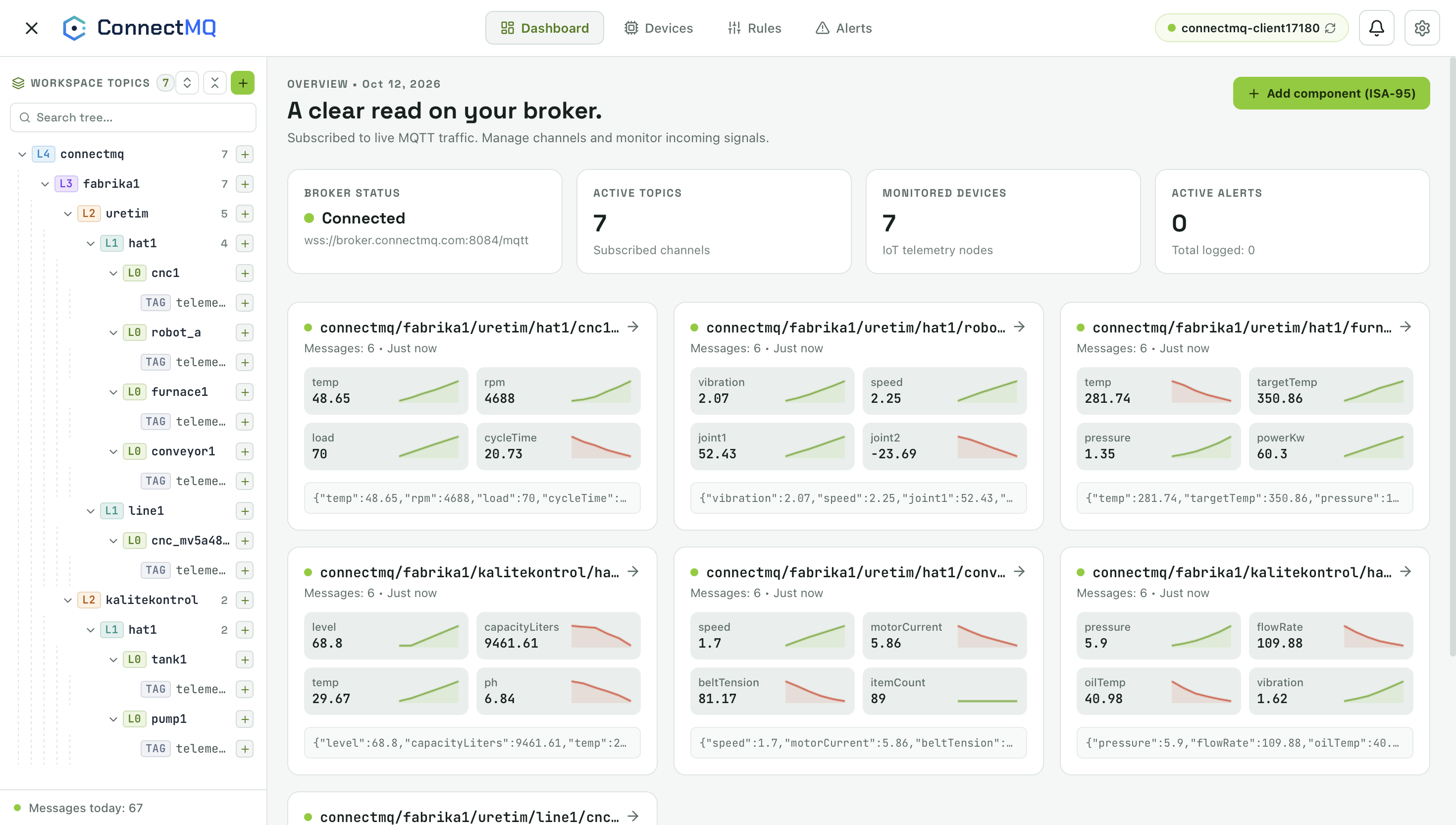
A clear read on your broker

See broker status, active topics, monitored devices and alerts at a glance — with a live card for every topic showing its latest values and trends.

  • Broker connection status and endpoint
  • Active topics, monitored devices and active alerts
  • Live value cards with sparklines for every signal
ConnectMQ dashboard with broker status, topic counts and live telemetry cards
ISA-95 topics

Organise topics the way your plant is organised

The workspace models your topic namespace on the ISA-95 hierarchy — enterprise, site, area, line, cell and tag — so thousands of topics stay navigable.

  • ISA-95 levels from enterprise (L4) down to tags
  • Search and expand the whole topic tree
  • Message counts per branch and a daily message total
ConnectMQ workspace topic tree organised by ISA-95 levels
Topic monitor

Inspect, chart and publish on any topic

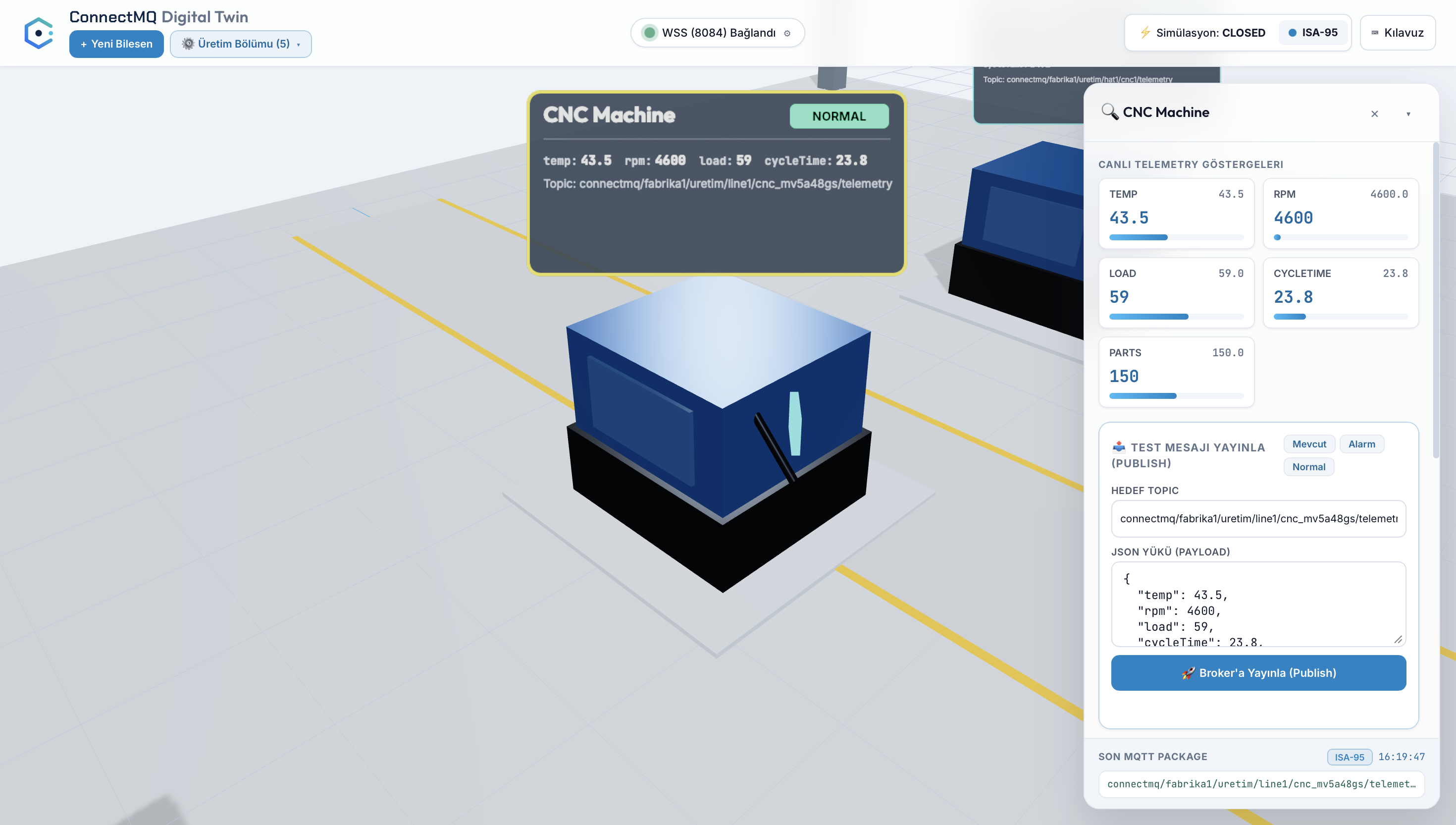
Open a topic to see each payload, every numeric signal extracted with its trend, and a live event stream — and publish test messages with the QoS you choose.

  • Payload inspector with JSON and raw views
  • Telemetry monitor that extracts every key-value signal
  • Message dispatcher with QoS 0, 1 and 2
  • Event stream with incoming and outgoing messages
ConnectMQ topic monitor with payload inspector, telemetry signals and message dispatcher

Dashboard & monitoring FAQ

Do I need to set up the dashboard myself?

No. The dashboard is part of every ConnectMQ workspace and shows the topics your devices publish as soon as they connect.

What is the ISA-95 workspace?

It organises your topic namespace on the ISA-95 hierarchy — enterprise, site, area, line, cell and tag — so large topic trees stay easy to navigate and search.

Can I publish test messages from the browser?

Yes. The topic monitor includes a message dispatcher that publishes to any topic with QoS 0, 1 or 2, and an event stream that shows incoming and outgoing messages.

Your private MQTT broker is a few clicks away

Create an account, get your broker credentials and connect your first device — no servers to install, patch or scale.

What Is a Managed MQTT Broker? Benefits, Costs and How to Choose

A managed MQTT broker lets you run IoT messaging without operating servers, certificates or patches yourself. Compare managed and self-hosted, pick a deployment model and connect your first client in five minutes.

10 min read